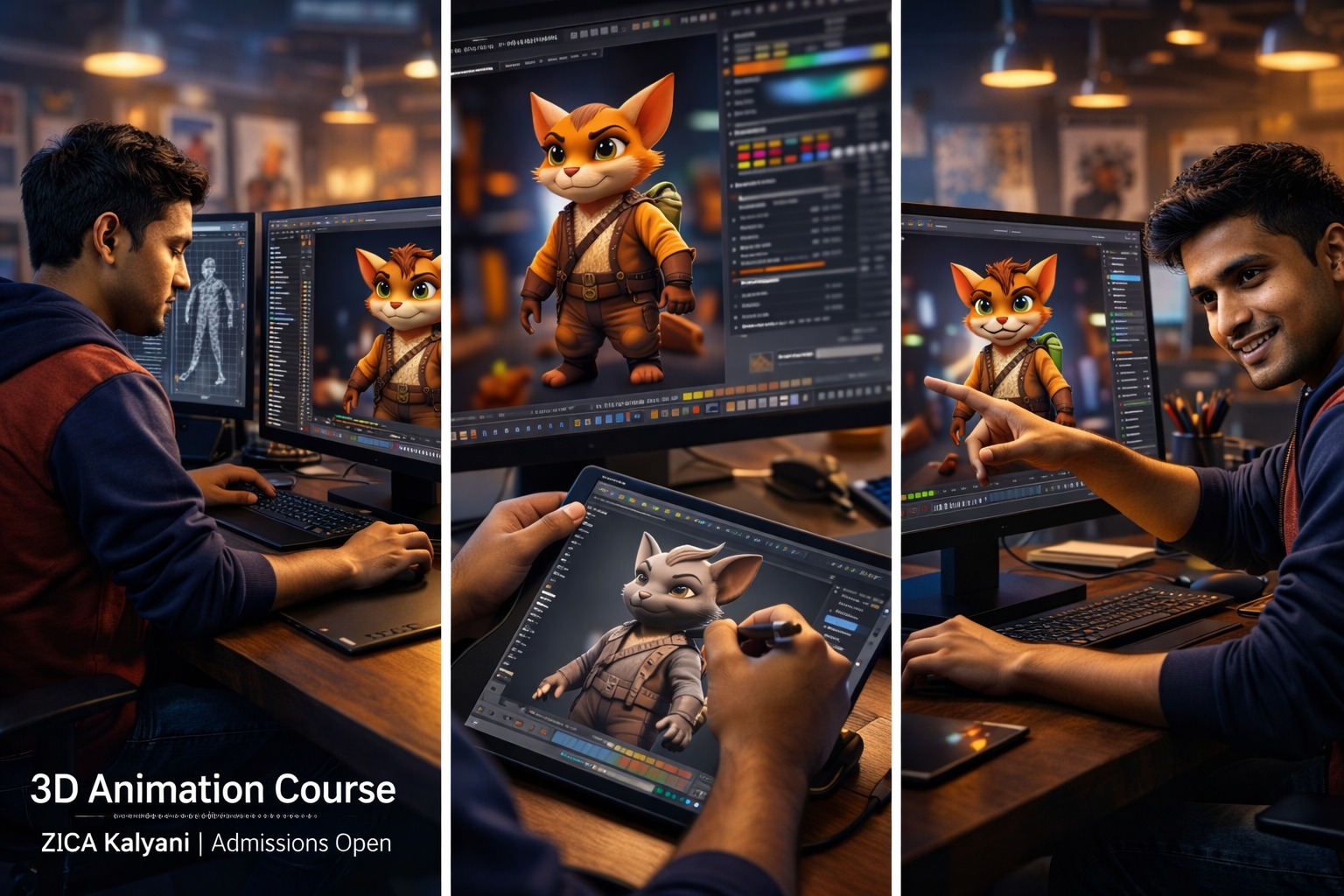
Professional Program in 3D Animation
-
 Instructor: Satyabrata
-
Category: 3D Animation
Professional Program in 3D Animation – Full Course Overview
ZICA Kalyani – Zee Institute of Creative Art
Program: Professional Program in 3D Animation
Duration: 12–18 Months (3–4 Modules)
Location: Kalyani, Nadia (serving students from Kalyani, Chakdaha, Ranaghat, Krishnanagar, Naihati, Kanchrapara)
About the Program
The Professional Program in 3D Animation at ZICA Kalyani is a comprehensive, industry‑oriented course designed to transform creative beginners, graduates, and working professionals into skilled 3D animators, modelers, riggers, lighting artists, and generalists. This program covers the complete 3D pipeline — from concept and modeling to rigging, animation, lighting, and rendering — using tools like Maya, Blender, ZBrush, Substance Painter, and Arnold.
Ideal for students after 10th, 12th, graduates, and working professionals from Kalyani, Nadia, Chakdaha, Ranaghat, Krishnanagar, Naihati, Kanchrapara, this program focuses on live projects, character reels, short films, and portfolio building so that every learner can confidently apply for roles in animation studios, VFX houses, gaming companies, OTT platforms, and freelance practice.
What You Will Learn
1. 3D Fundamentals & Modeling
Introduction to 3D space, navigation, and workflow
Polygon modeling: hard‑surface and organic props
Character modeling basics: head, body, hands, and facial topology
Sculpting in ZBrush: high‑poly details and retopology
UV unwrapping and texture painting (Substance Painter / Photoshop)
PBR materials, shaders, and look development
2. Rigging & Character Setup
Joint setup, skinning, and weight painting
Character rigging: FK/IK, controls, and constraints
Facial rigging and blend shapes for expression
Custom rigs for props, creatures, and mechanical objects
Rig testing and animation‑ready setups
3. Animation Principles & Character Performance
Animation fundamentals: timing, spacing, arcs, and weight
Body mechanics: walk cycles, run cycles, jumps, and lifts
Acting and performance: gestures, expressions, and lip‑sync
Camera animation and shot composition in 3D
Animation polish: refinement, graph editor, and final output
4. Lighting, Rendering & Look Development
Lighting fundamentals: key, fill, rim, three‑point, and mood lighting
HDRI, area lights, volumetrics, and light rigs for scenes
Render engines: Arnold, Cycles, or Redshift basics
Render passes, AOVs, and optimization for compositing
Look development and shading for realism/stylization
5. Real Projects, Portfolio & Industry Prep
Character animation reel: walk, run, acting shot, and lip‑sync
Short film or sequence: modeling → rig → animate → light → render
Product visualization or environment animation project
Portfolio curation: selecting, refining, and presenting best work
Resume, LinkedIn, ArtStation setup for 3D artists
Internship guidance, freelance basics, and studio workflow awareness
Program Highlights
Industry‑aligned curriculum covering modeling, rigging, animation, lighting, and rendering
Hands‑on projects: character reels, short films, product viz, and environment shots
Mastery of key tools: Maya, Blender, ZBrush, Substance Painter, Arnold
Mentorship from experienced 3D artists and animators
Modern 3D labs with latest software at ZICA Kalyani
Step‑by‑step portfolio and demo reel creation for job applications
Guidance for internships, placements, and freelance opportunities
Ideal for learners from Kalyani, Nadia, Chakdaha, Ranaghat, Krishnanagar, Naihati, Kanchrapara who want local, structured training
Tools & Technologies Covered
Autodesk Maya – industry‑standard for 3D animation, rigging, and rendering
Blender – modeling, sculpting, animation, and rendering (open‑source alternative)
ZBrush – high‑poly sculpting and character detailing
Substance Painter / Designer – texture painting and material creation
Arnold / Cycles / Redshift – photorealistic rendering for 3D
Adobe Photoshop – texture editing and look development
Module 1: 3D Fundamentals, Modeling & Texturing (Months 1–3)
Goal: Build strong foundation in 3D space, modeling, and texturing workflows.
Introduction to 3D space, navigation, and workflow (Maya / Blender)
Polygon modeling: hard‑surface and organic props
Character modeling basics: head, body, hands, and facial topology
Sculpting in ZBrush: high‑poly details and retopology
UV unwrapping and texture painting (Substance Painter / Photoshop)
PBR materials, shaders, and look development
Lighting basics: three‑point lighting and HDRI setups
Mini project: model and texture a character or environment asset
Module 2: Rigging, Character Setup & Animation Basics (Months 4–6)
Goal: Learn character rigging and core animation principles.
Joint setup, skinning, and weight painting
Character rigging: FK/IK, controls, and constraints
Facial rigging and blend shapes for expression
Custom rigs for props, creatures, and mechanical objects
Animation fundamentals: timing, spacing, arcs, and weight
Body mechanics: walk cycles, run cycles, jumps, and lifts
Rig testing and animation‑ready setups
Project: rig a character and create a basic animation test (walk/run)
Goal: Learn character rigging and core animation principles.
Joint setup, skinning, and weight painting
Character rigging: FK/IK, controls, and constraints
Facial rigging and blend shapes for expression
Custom rigs for props, creatures, and mechanical objects
Animation fundamentals: timing, spacing, arcs, and weight
Body mechanics: walk cycles, run cycles, jumps, and lifts
Rig testing and animation‑ready setups
Project: rig a character and create a basic animation test (walk/run)
Module 3: Advanced Animation, Lighting & Rendering (Months 7–9)
Goal: Master character performance, lighting, and photorealistic rendering.
Acting and performance: gestures, expressions, and lip‑sync
Camera animation and shot composition in 3D
Animation polish: refinement, graph editor, and final output
Lighting fundamentals: key, fill, rim, three‑point, and mood lighting
HDRI, area lights, volumetrics, and light rigs for scenes
Render engines: Arnold, Cycles, or Redshift basics
Render passes, AOVs, and optimization for compositing
Look development and shading for realism/stylization
Project: animate a short acting shot and light/render a 3D scene
Goal: Master character performance, lighting, and photorealistic rendering.
Acting and performance: gestures, expressions, and lip‑sync
Camera animation and shot composition in 3D
Animation polish: refinement, graph editor, and final output
Lighting fundamentals: key, fill, rim, three‑point, and mood lighting
HDRI, area lights, volumetrics, and light rigs for scenes
Render engines: Arnold, Cycles, or Redshift basics
Render passes, AOVs, and optimization for compositing
Look development and shading for realism/stylization
Project: animate a short acting shot and light/render a 3D scene
Module 4: Real Projects, Portfolio & Industry Prep (Months 10–12)
Goal: Build a job‑ready portfolio and prepare for internships/jobs.
Character animation reel: walk, run, acting shot, and lip‑sync
Short film or sequence: modeling → rig → animate → light → render
Product visualization or environment animation project
Portfolio curation: selecting, refining, and presenting best work
Resume, LinkedIn, ArtStation setup for 3D artists
Internship guidance, freelance basics, and studio workflow awareness
Interview preparation, test animations, and job search strategies
Final showcase: portfolio review and certificate project
Goal: Build a job‑ready portfolio and prepare for internships/jobs.
Character animation reel: walk, run, acting shot, and lip‑sync
Short film or sequence: modeling → rig → animate → light → render
Product visualization or environment animation project
Portfolio curation: selecting, refining, and presenting best work
Resume, LinkedIn, ArtStation setup for 3D artists
Internship guidance, freelance basics, and studio workflow awareness
Interview preparation, test animations, and job search strategies
Final showcase: portfolio review and certificate project
Satyabrata
professional 3d animator
Industry expert with extensive commercial production background and dedicated teaching excellence.