Track
New Collar
Duration
60 hours
Skill Level
Beginner
Language
English, Marathi
About this Course
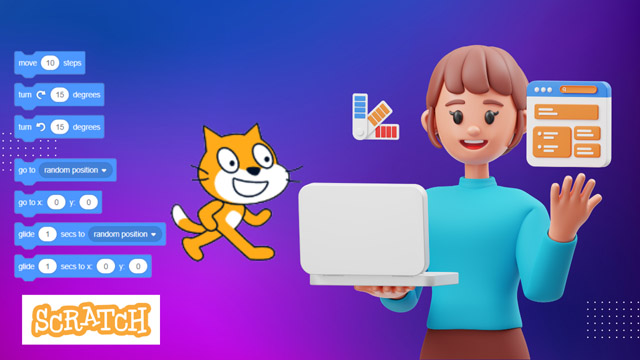
Scratch is free visual programming language. You will learn how to create your own interactive stories, amazing games, animated images and songs in …
Learning Mode: Learn at ALC or at Home
Detailed Course Curriculum
Hands-on module breakdown aligned with MKCL production standards and industry requirements.
- What are Visual Editors?
- Introduction to Scratch
- The Scratch User Interface
- Dancing is also a Program!
- Step-by-Step
- Some Steps Further
- Case Study - Aquarium
- Planning a Project
- Creating an Interactive Project
- Case Study - Greeting card
- Performing Scripts
- Build a Band
- Pink Circle, Blue Square
- Animation Projects
- Case Study - Colorful Parrot
- Characters
- Conversations and Scenes
- Case Study - Dancing Queen
- Creature Creation
- Case Study – Dialogue
- Starter Games
- Scores and timing
- Case Study - Creating Your Own Sprite
- Case Study - Whirling Crab
- Cloning
- Video Sensing
- Case Study – Emotions
- Case Study - Electrical Circuit
- Setting up a Scratch Account
- Creating an Online Project
- Exploring Online Projects
- Scratch Studios
Eligibility Criteria
• Basic knowledge of computers and keen desire to build skills in this field.
• Open to students, job seekers, and working professionals.
• Open to students, job seekers, and working professionals.
Official Certification
• Official MKCL KLiC Certificate upon successful completion of the course and evaluations.
Target Audience & Who Should Join
• Students (School and College): Individuals seeking to develop foundational programming skills in a user-friendly environment.
• Educators and Teachers: Professionals aiming to incorporate visual programming into their teaching methodologies to enhance student engagement.
• Parents and Guardians: Those interested in guiding children through the basics of programming and fostering creative thinking.
• Aspiring Game Developers: Individuals looking to understand the fundamentals of game design and development.
• Hobbyists and Enthusiasts: Anyone keen on exploring programming concepts without prior experience.
• Community Center Facilitators: Leaders aiming to introduce programming to community members in an accessible manner.
• Individuals Preparing for Advanced Programming: Learners planning to transition to more complex programming languages like Python or Java.
• Educators and Teachers: Professionals aiming to incorporate visual programming into their teaching methodologies to enhance student engagement.
• Parents and Guardians: Those interested in guiding children through the basics of programming and fostering creative thinking.
• Aspiring Game Developers: Individuals looking to understand the fundamentals of game design and development.
• Hobbyists and Enthusiasts: Anyone keen on exploring programming concepts without prior experience.
• Community Center Facilitators: Leaders aiming to introduce programming to community members in an accessible manner.
• Individuals Preparing for Advanced Programming: Learners planning to transition to more complex programming languages like Python or Java.
Work-Centric Learning Approach
• Step 1: Learners are given an overview of the course and its connection to life and work
• Step 2: Learners are exposed to the specific tool(s) used in the course through the various real-life applications of the tool(s).
• Step 3: Learners are acquainted with the careers and the hierarchy of roles they can perform at workplaces after attaining increasing levels of mastery over the tool(s).
• Step 4: Learners are acquainted with the architecture of the tool or tool map so as to appreciate various parts of the tool, their functions, utility and inter-relations.
• Step 5: Learners are exposed to simple application development methodology by using the tool at the beginner’s level.
• Step 6: Learners perform the differential skills related to the use of the tool to improve the given ready-made industry-standard outputs.
• Step 7: Learners are engaged in appreciation of real-life case studies developed by the experts.
• Step 8: Learners are encouraged to proceed from appreciation to imitation of the experts.
• Step 9: After the imitation experience, they are required to improve the expert’s outputs so that they proceed from mere imitation to emulation.
• Step 10: Emulation is taken a level further from working with differential skills towards the visualization and creation of a complete output according to the requirements provided. (Long Assignments)
• Step 11: Understanding the requirements, communicating one’s own thoughts and presenting are important skills required in facing an interview for securing a work order/job. For instilling these skills, learners are presented with various subject-specific technical as well as HR-oriented questions and encouraged to answer them.
• Step 12: Finally, they develop the integral skills involving optimal methods and best practices to produce useful outputs right from scratch, publish them in their ePortfolio and thereby proceed from emulation to self-expression, from self-expression to self-confidence and from self-confidence to self-reliance and self-esteem!
• Step 2: Learners are exposed to the specific tool(s) used in the course through the various real-life applications of the tool(s).
• Step 3: Learners are acquainted with the careers and the hierarchy of roles they can perform at workplaces after attaining increasing levels of mastery over the tool(s).
• Step 4: Learners are acquainted with the architecture of the tool or tool map so as to appreciate various parts of the tool, their functions, utility and inter-relations.
• Step 5: Learners are exposed to simple application development methodology by using the tool at the beginner’s level.
• Step 6: Learners perform the differential skills related to the use of the tool to improve the given ready-made industry-standard outputs.
• Step 7: Learners are engaged in appreciation of real-life case studies developed by the experts.
• Step 8: Learners are encouraged to proceed from appreciation to imitation of the experts.
• Step 9: After the imitation experience, they are required to improve the expert’s outputs so that they proceed from mere imitation to emulation.
• Step 10: Emulation is taken a level further from working with differential skills towards the visualization and creation of a complete output according to the requirements provided. (Long Assignments)
• Step 11: Understanding the requirements, communicating one’s own thoughts and presenting are important skills required in facing an interview for securing a work order/job. For instilling these skills, learners are presented with various subject-specific technical as well as HR-oriented questions and encouraged to answer them.
• Step 12: Finally, they develop the integral skills involving optimal methods and best practices to produce useful outputs right from scratch, publish them in their ePortfolio and thereby proceed from emulation to self-expression, from self-expression to self-confidence and from self-confidence to self-reliance and self-esteem!
Ready to start SCRATCH?
Join our upcoming batch at ZICA Kalyani center with certified instructors.
Other MKCL Courses
-
AI-ML Basics
60 hours -
Basics of AI and Foundations
30 hours