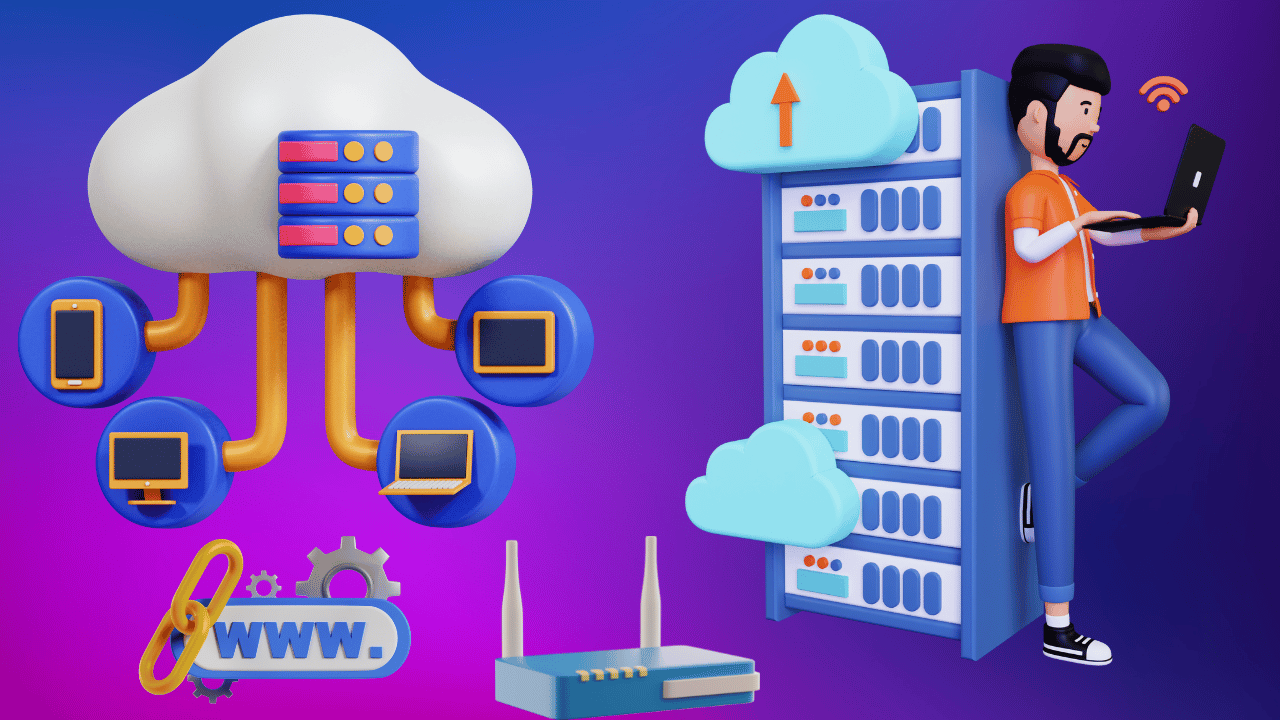
Track
IT Hardware, Networking & Cyber Security
Duration
30 hours
Skill Level
Beginner
Language
English
About this Course
Learn the basics of networking, including protocols, topologies, and internet fundamentals.
Learning Mode: Learn at ALC or at Home
Detailed Course Curriculum
Hands-on module breakdown aligned with MKCL production standards and industry requirements.
- Basics of Networking 1
- Basics of networking 2
- Terms in Networking
- Client Server model
- Testimonial of Industry expert
- Local Area Networks (LANs)
- Campus Area Networks (CANs)
- Metropolitan Area Networks (MANs)
- Wide Area Networks (WANs)
- Types of Network
- Networking Devices -2
- Wide Area Networks part 2
- Storage Area Networks (SANs)
- Personal Area Networks (PANs)
- Network devices - 1
- Network devices - 2
- Wireless Range Extenders
- Modems
- SOHO devices
- Firewalls and Load Balancer
- Installing Firewall software
- OSI Model
- Network segmentation 1
- Network segmentation 2
- About security and performance 1
- About security and performance 2
- Network Topology
- TCP/IP model
- Network Protocols part -1
- Network Protocols part -2
- Network Protocols part - 3
- Network Protocols -4
- Network Protocols - 5
- TCP/IP model
- Network Protocols - 6
- Telnet
- Configuring Telnet
- Transmission methods part 1
- Transmission methods part 2
- Protocol data units
- TCP/IP overview 1
- TCP/IP overview 2
- TCP/IP Layers- 1
- TCP/IP Layers - 2
- TCP/IP Layers - 3
- TCP/IP Layers - 4
- Wiring Standards and cable types
- Network Cabling
- Crimping process
- Cable Performance and troubleshooting - Part 1
- Cable Performance and troubleshooting - Part 2
- Understanding Binary Math
- Number systems used in computers
- MAC address structure
- IPv4 address
- IPv4 subnet masks
- IPv6 subnet masks
- Assigning IPv4 addresses
- Assigning IPv6 addresses
- Difference between static and dynamic IP address
- IP addressing security
- Protect and hide IP address
- Proxy server part - 1
- Proxy server part - 2
- Configuring IP address in Windows 10
- Calculating IP subnets and hosts
- Classful subnetting
- Subnetting concepts
- Class A subnets
- Class B subnets
- Class C subnets
- IPV6 Fundamentals-1
- Configuring IPv6 in network
- Planning a network -1
- Planning a network - 2
- Ethernet Standards 1
- Ethernet Standards 2
- Network ports
- How do network ports affect cybersecurity?
- Port scanner utility
- Configuring DHCP in small networks
- What is DNS?
- WINS vs DNS
- Overview of DNS -2
- DNS spoofing and DNS server
- DNS lookup
- DNS Lookup Practical
- Finding DNS part -1
- Finding DNS part -2
- Understanding Switches
- Types of Switches
- Virtual LAN Part 1
- Virtual LAN Part 2
- Layer 3 switches
- Understanding Routers part -1
- Understanding Routers part -2
- Understanding Routers part -3
- Understanding Routers part -4
- Routing Basics- 1
- Routing Basics - 2
- Routing Basics - 3
- Routing Basics - 4
- Routing Basics - 5
- Prioritizing Traffic 1
- Prioritizing Traffic 2
- Network Switching
- Circuit switching
- Message switching
- Packet switching
- Network Security - 1
- Network Security - 2
Eligibility Criteria
• Basic knowledge of computers and keen desire to build skills in this field.
• Open to students, job seekers, and working professionals.
• Open to students, job seekers, and working professionals.
Official Certification
• Official MKCL KLiC Certificate upon successful completion of the course and evaluations.
Work-Centric Learning Approach
• Step 1: Learners are given an overview of the course and its connection to life and work
• Step 2: Learners are exposed to the specific tool(s) used in the course through the various real-life applications of the tool(s).
• Step 3: Learners are acquainted with the careers and the hierarchy of roles they can perform at workplaces after attaining increasing levels of mastery over the tool(s).
• Step 4: Learners are acquainted with the architecture of the tool or tool map so as to appreciate various parts of the tool, their functions, utility and inter-relations.
• Step 5: Learners are exposed to simple application development methodology by using the tool at the beginner’s level.
• Step 6: Learners perform the differential skills related to the use of the tool to improve the given ready-made industry-standard outputs.
• Step 7: Learners are engaged in appreciation of real-life case studies developed by the experts.
• Step 8: Learners are encouraged to proceed from appreciation to imitation of the experts.
• Step 9: After the imitation experience, they are required to improve the expert’s outputs so that they proceed from mere imitation to emulation.
• Step 10: Emulation is taken a level further from working with differential skills towards the visualization and creation of a complete output according to the requirements provided. (Long Assignments)
• Step 11: Understanding the requirements, communicating one’s own thoughts and presenting are important skills required in facing an interview for securing a work order/job. For instilling these skills, learners are presented with various subject-specific technical as well as HR-oriented questions and encouraged to answer them.
• Step 12: Finally, they develop the integral skills involving optimal methods and best practices to produce useful outputs right from scratch, publish them in their ePortfolio and thereby proceed from emulation to self-expression, from self-expression to self-confidence and from self-confidence to self-reliance and self-esteem!
• Step 2: Learners are exposed to the specific tool(s) used in the course through the various real-life applications of the tool(s).
• Step 3: Learners are acquainted with the careers and the hierarchy of roles they can perform at workplaces after attaining increasing levels of mastery over the tool(s).
• Step 4: Learners are acquainted with the architecture of the tool or tool map so as to appreciate various parts of the tool, their functions, utility and inter-relations.
• Step 5: Learners are exposed to simple application development methodology by using the tool at the beginner’s level.
• Step 6: Learners perform the differential skills related to the use of the tool to improve the given ready-made industry-standard outputs.
• Step 7: Learners are engaged in appreciation of real-life case studies developed by the experts.
• Step 8: Learners are encouraged to proceed from appreciation to imitation of the experts.
• Step 9: After the imitation experience, they are required to improve the expert’s outputs so that they proceed from mere imitation to emulation.
• Step 10: Emulation is taken a level further from working with differential skills towards the visualization and creation of a complete output according to the requirements provided. (Long Assignments)
• Step 11: Understanding the requirements, communicating one’s own thoughts and presenting are important skills required in facing an interview for securing a work order/job. For instilling these skills, learners are presented with various subject-specific technical as well as HR-oriented questions and encouraged to answer them.
• Step 12: Finally, they develop the integral skills involving optimal methods and best practices to produce useful outputs right from scratch, publish them in their ePortfolio and thereby proceed from emulation to self-expression, from self-expression to self-confidence and from self-confidence to self-reliance and self-esteem!
Ready to start Understanding Computer Networks?
Join our upcoming batch at ZICA Kalyani center with certified instructors.
Other MKCL Courses
-
Desktop Support
120 hours -
Network Support
120 hours -
Cyber Security
60 hours -

Security Support
120 hours